
If you attempt to sync and you are not connected to the internet you will receive the following error:
NETWORK ERROR - Please connect to the Internet.
To join Wi-Fi:
Navigate to iOS Settings
Click Wi-Fi
Click on the button next to Wi-Fi to turn it on (green is on)
Under CHOOSE A NETWORK... click on a known Wi-Fi Network
Enter Password (if needed) & Click join:
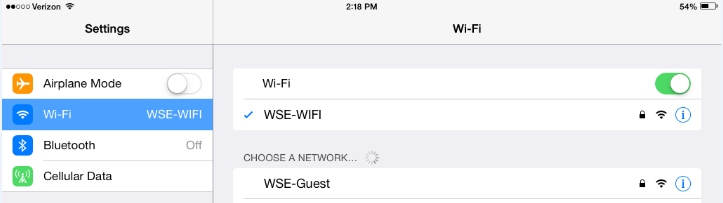
NOTE: your device will remember this network and automatically join it if Wi-Fi is on
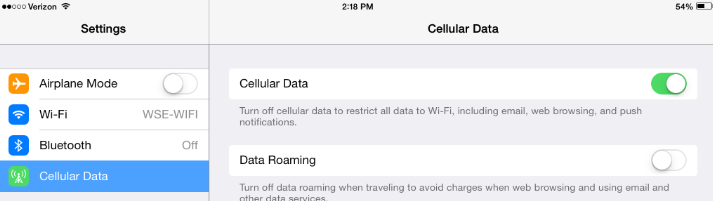
If you do not have access to Wi-Fi but your device has cellular data coverage please verify cellular data is not turned off on the device:
Navigate to iOS Settings
Click Cellular data
Click on the button next to Cellular Data to turn it on:
Comments
0 comments
Please sign in to leave a comment.